How to Diagnose a Cordless Tool That Won't Start
Diagnose first. Repair second. Verify before returning to service.
A cordless tool that won't start doesn't automatically need a new battery or a replacement motor. The fault could be something simple, such as dirty contacts, or something more involved, such as a failed switch, damaged wiring or faulty electronics.
The trick is to work through the problem logically, checking the easy things first and narrowing down the possible causes before replacing parts.
In this guide, we'll walk through a practical diagnostic process to help you identify the fault and decide what needs to happen next.
Before You Start: Workshop Safety
Before inspecting or testing any cordless tool:
- Remove the battery before opening the tool or inspecting internal components.
- Check for visible damage, overheating, burning smells or signs of moisture.
- Wear suitable eye protection when working with tools and components.
- Use test equipment appropriate for the task and understand its limitations.
- Never bypass safety switches or battery protection systems to make a tool operate.
If the battery is swollen, leaking, unusually hot or visibly damaged, stop using it. Do not charge or dismantle a suspect lithium battery pack.
Some internal electrical repairs require specialist knowledge and equipment. If you cannot establish that the equipment is safe to test, stop and seek qualified assistance.
Step 1: Check the Obvious Things First
Before dismantling anything, establish exactly what the tool is doing.
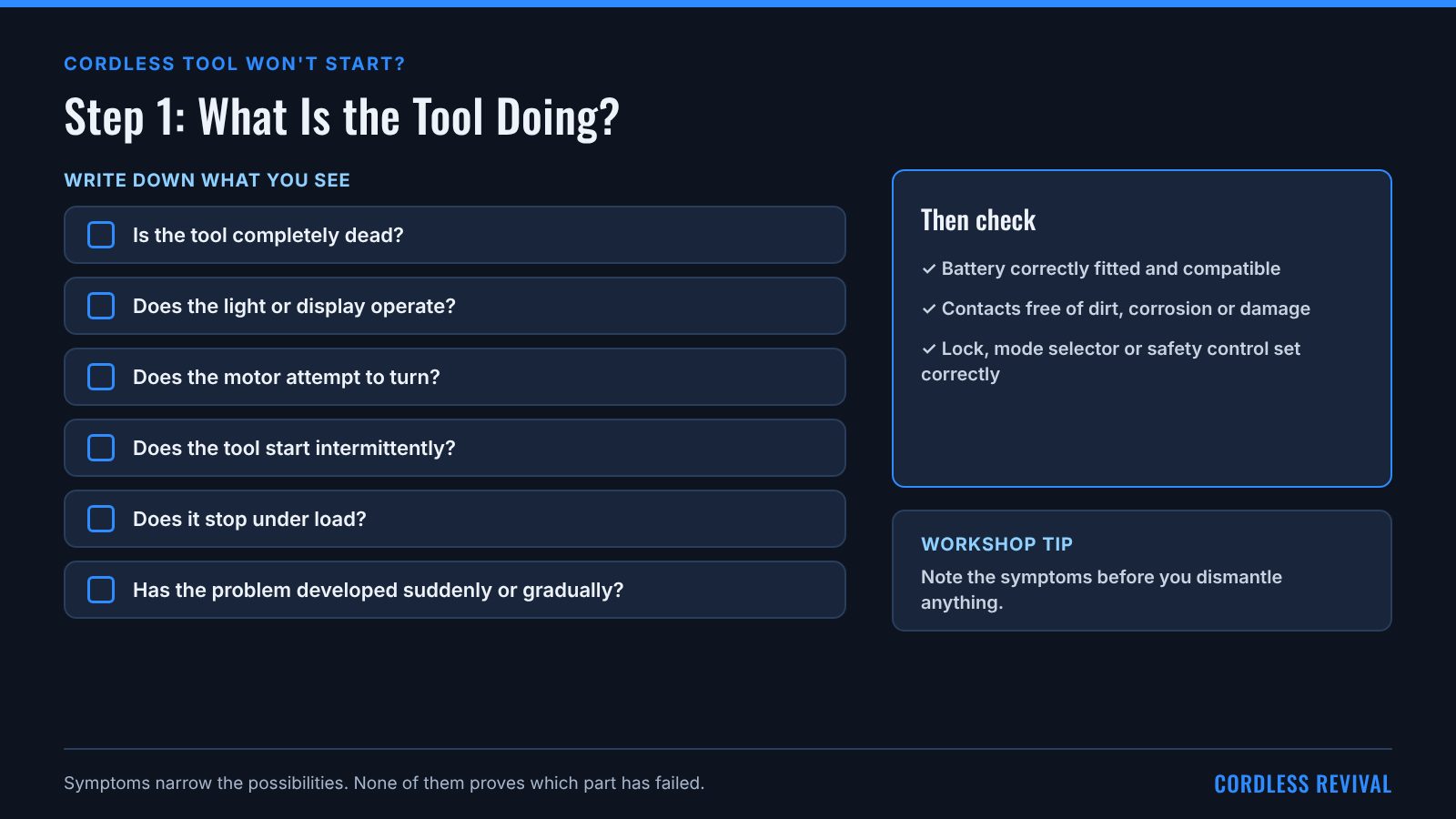
- Is the tool completely dead?
- Does the light or display operate?
- Does the motor attempt to turn?
- Does the tool start intermittently?
- Does it stop under load?
- Has the problem developed suddenly or gradually?
These symptoms help narrow the possibilities, although none of them proves a particular component has failed.
Check that the battery is correctly fitted and compatible with the tool. Inspect the accessible battery contacts for dirt, corrosion or physical damage.
If the tool has a lock, operating-mode selector or other safety control, check that it is set correctly.
Workshop tip: Write down the symptoms before you start. It's easy to lose track of the original fault once the tool is dismantled.
Step 2: Check the Battery
The battery is a sensible early check because the tool depends on it for power. However, don't assume that a battery showing some voltage is necessarily healthy.
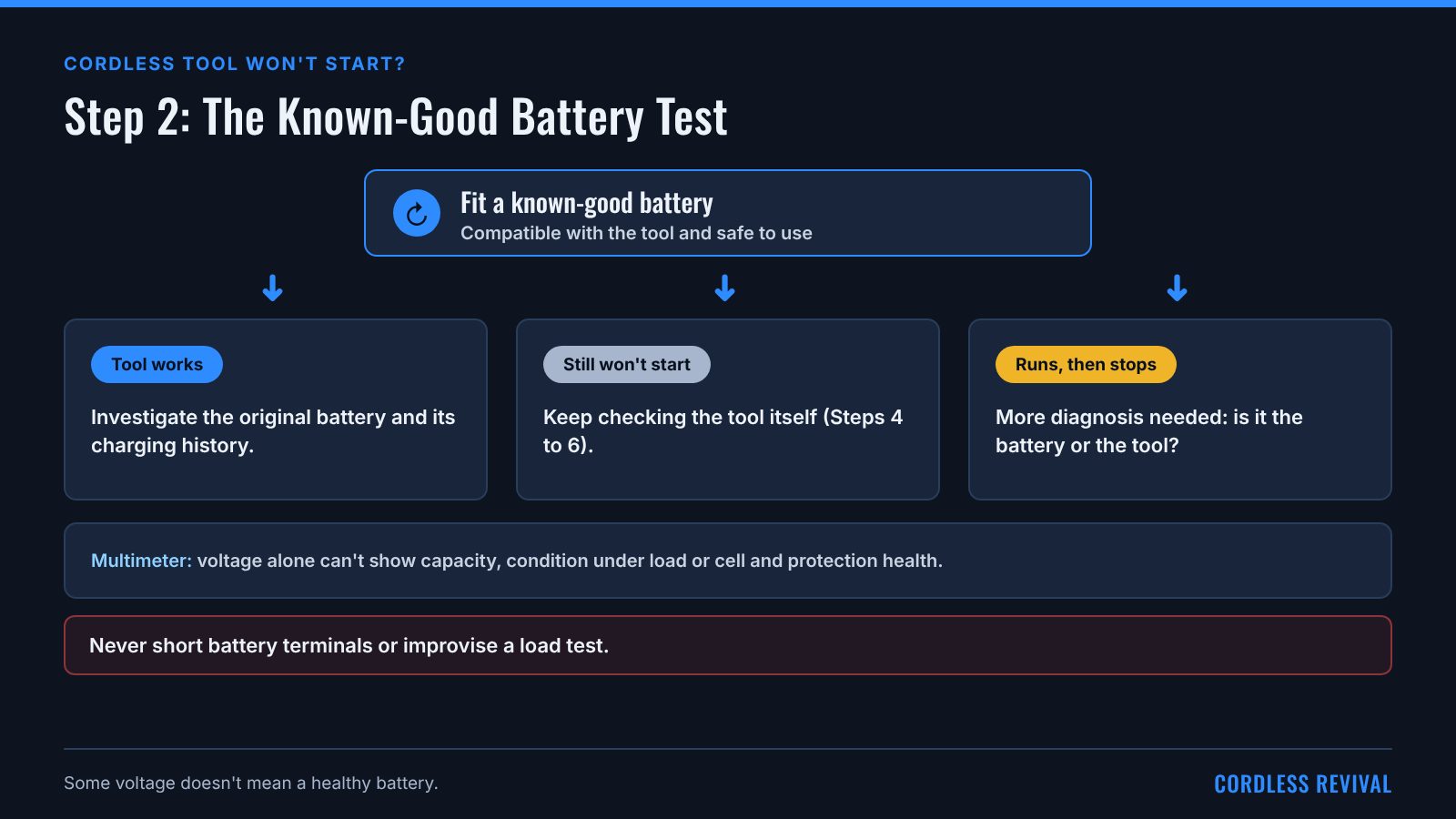
If you have a compatible, known-good battery that is safe to use, fit it and see whether the tool operates normally.
- If the tool works, investigate the original battery and its charging history.
- If the tool still doesn't work, continue checking the tool itself.
- If the tool operates briefly and then stops, further diagnosis may be needed to distinguish a battery problem from a tool fault.
A multimeter can measure accessible battery terminal voltage where appropriate. However, voltage alone cannot establish the pack's capacity, condition under load or the health of its internal cells and protection circuitry.
Do not short battery terminals or improvise a load test.
Step 3: Check the Charging System
If the battery appears discharged, check whether the charger recognises it and whether charging appears to proceed normally.
Confirm that the charger and battery are compatible. Inspect the accessible contacts and refer to the manufacturer's instructions for the meaning of indicator lights or fault codes.
A battery that won't charge may have a battery fault, a charger fault, a contact problem or an internal protection issue.
Where appropriate, testing with known-good compatible equipment can help separate these possibilities.
Do not assume that a flashing light means the same thing across different charger models.
Step 4: Consider the Possible Tool Faults
If the battery and external checks don't explain the problem, the fault may be inside the tool.
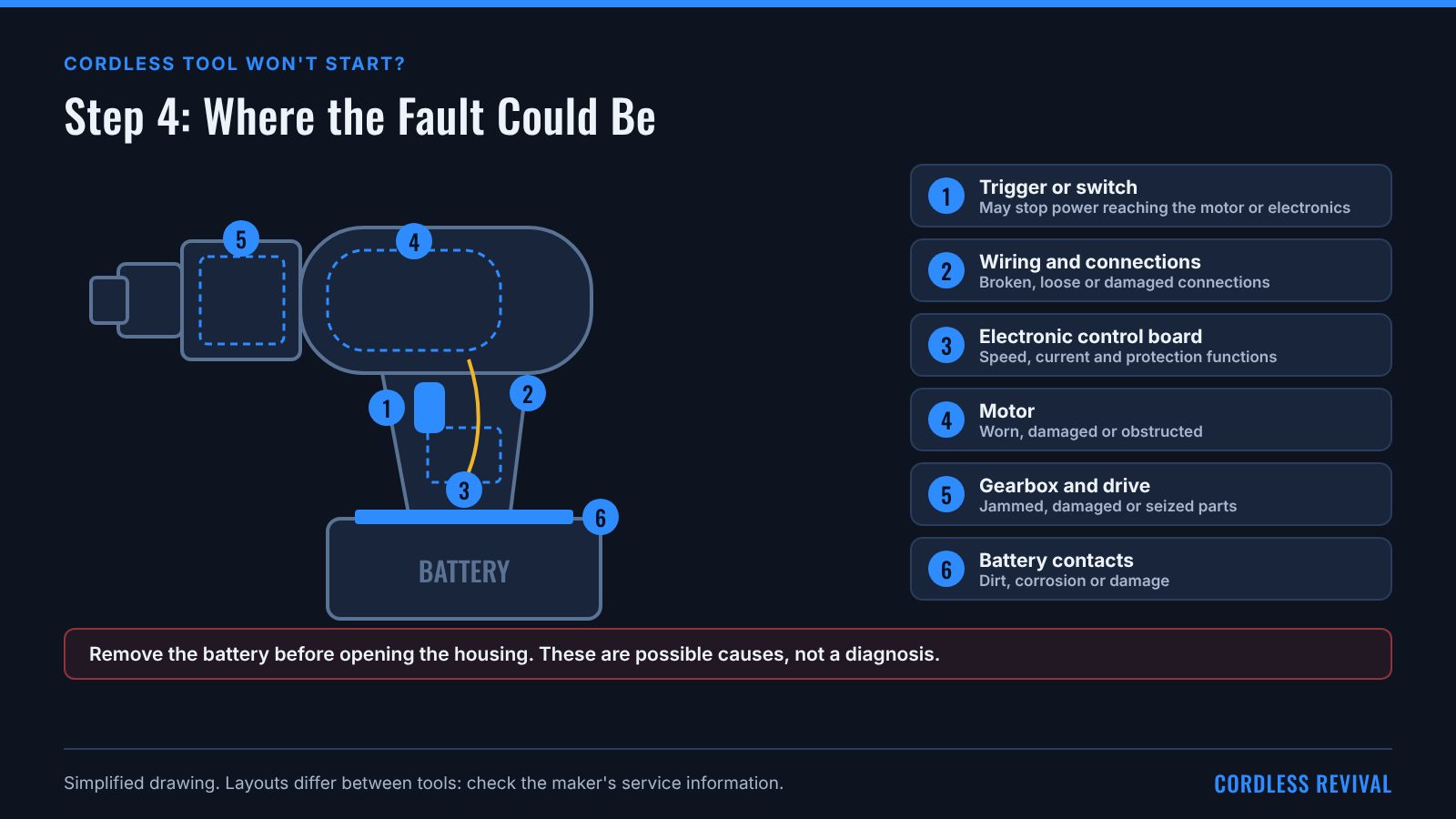
Common possibilities include:
Trigger or switch assembly
A failed trigger or switch may prevent power from reaching the motor or control electronics.
Wiring and connections
A broken conductor, loose connector or damaged connection may interrupt the electrical supply.
Motor problems
A worn, damaged or mechanically obstructed motor may prevent normal operation.
Electronic control board
Some cordless tools use electronic controllers to regulate speed, manage current or provide protective functions. A fault in this circuitry may prevent the tool from operating.
Mechanical problems
A jammed gearbox, damaged drive mechanism or seized component may prevent the tool from turning correctly.
These are possible causes, not a diagnosis. The next step is to identify which possibility fits the symptoms and verify it with suitable tests.
Step 5: Decide Whether to Dismantle the Tool
If further investigation is necessary, consult the manufacturer's service information where available.
Before opening the housing, remove the battery and prepare a clean work area. Keep screws and components organised, and photograph wiring routes and connector positions as you go.
Look for visible damage, loose connections, damaged wires, contamination or signs of overheating.
Do not replace a component simply because it looks suspicious. Some electrical faults leave no visible evidence, while visible damage may be the result of a fault elsewhere in the circuit.
Internal testing should only proceed when the equipment is safe to examine and you have the appropriate tools, knowledge and test procedure.
Step 6: Confirm the Fault Before Repairing
Once you have narrowed down the possible cause, use the appropriate diagnostic procedure to confirm it.
Depending on the tool, this might involve checking a switch, inspecting a connection, testing a motor or carrying out component-level electronics diagnosis.
Choose the test to suit the equipment and suspected fault. Do not assume that one test method or measurement applies to every cordless tool.
Once the fault has been established, decide whether the best option is to repair the component, replace an assembly, obtain professional assistance or retire the tool.
Consider parts availability, repair cost, the condition of the remaining tool and the safety implications of the repair.
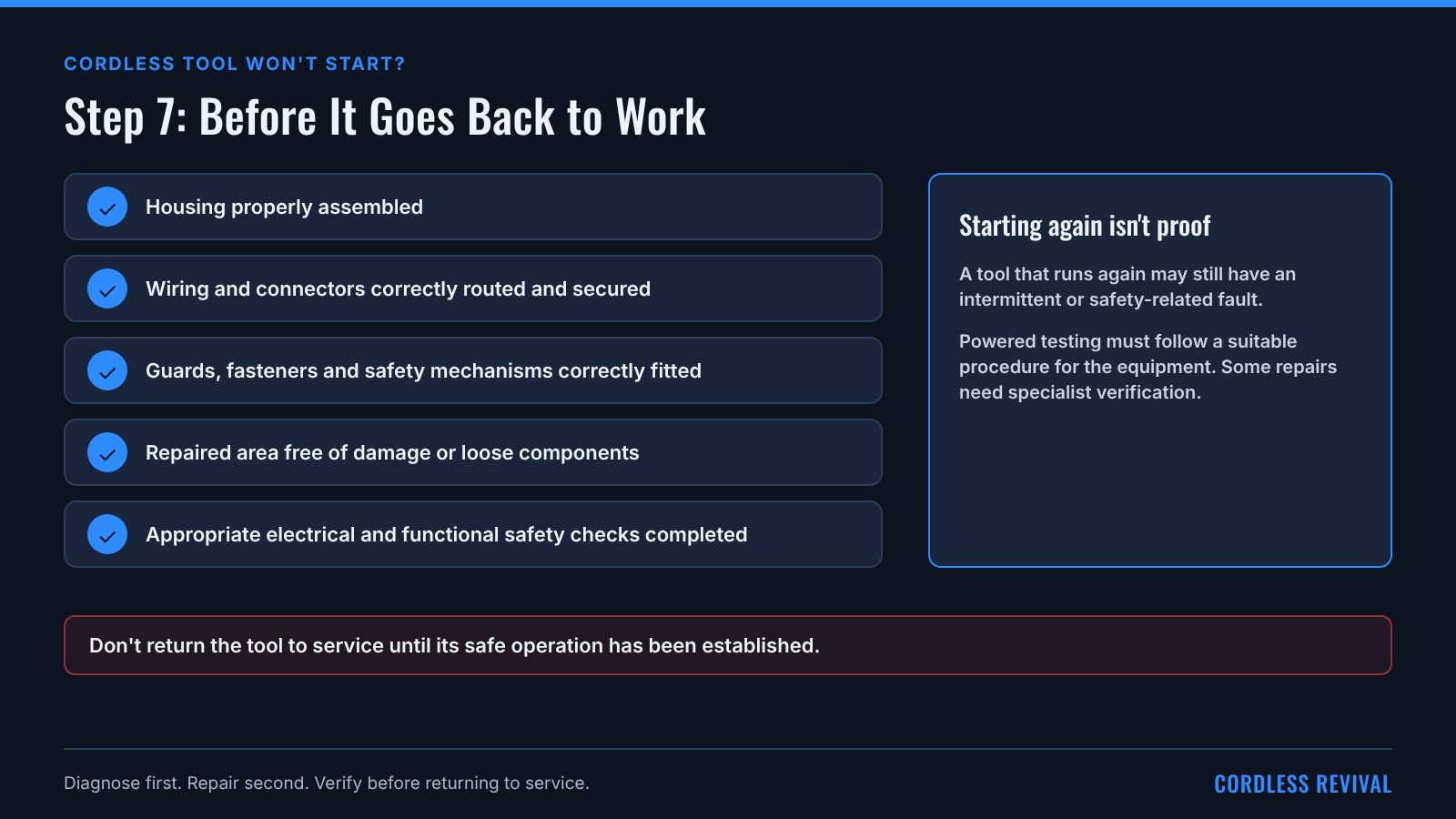
Step 7: Check the Repair
A tool starting again is encouraging, but it doesn't automatically mean the repair is complete.
Before returning it to service:
- Check that the housing is properly assembled.
- Confirm that wiring and connectors are correctly routed and secured.
- Check that guards, fasteners and safety mechanisms are correctly fitted.
- Inspect the repaired area for damage or loose components.
- Complete the appropriate electrical and functional safety checks.
Any powered testing must follow a suitable procedure for the equipment. Repairs involving electrical safety features or potentially hazardous circuitry may require specialist verification.
Do not return the tool to service until its safe operation has been established.
Common Mistakes to Avoid
Replacing the battery without testing it
The battery may not be the cause of the problem.
Replacing parts based on appearance alone
A component can look damaged without being the original cause of the fault. Conversely, failed components may look perfectly normal.
Dismantling the tool too early
Simple external checks can sometimes identify the problem without opening the housing.
Assuming a successful start proves everything is fixed
Intermittent faults and safety-related problems may require additional checks.
Guessing at electrical measurements
Use the correct test method and equipment, and understand what the result can and cannot tell you.
The Workshop Takeaway
When a cordless tool won't start, resist the temptation to replace parts straight away.
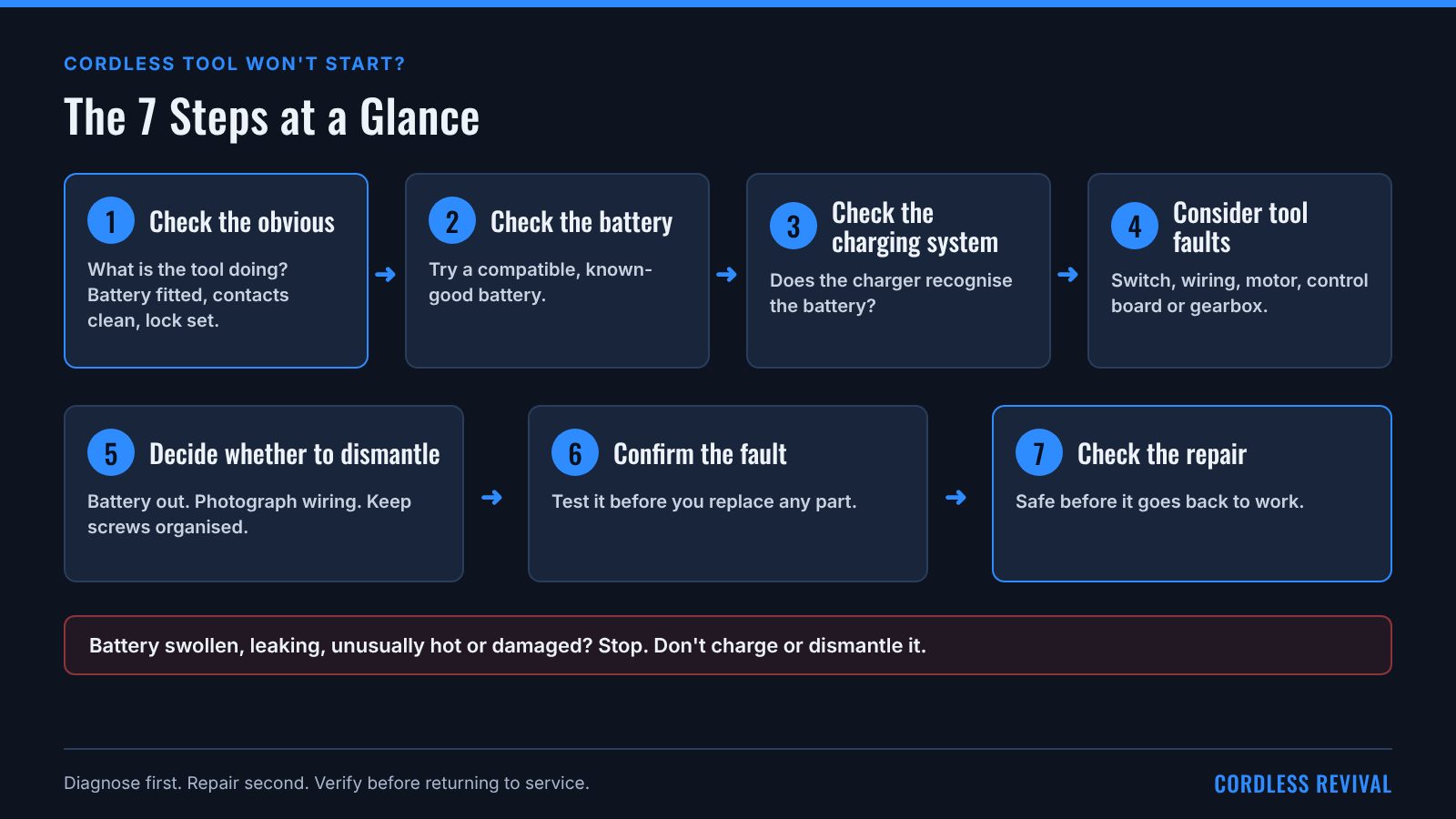
Start with the symptoms, check the battery and accessible connections, investigate the likely causes, confirm the fault and then choose the appropriate repair.
A consistent diagnostic process helps reduce guesswork, avoid unnecessary parts costs and produce more reliable repairs.
Diagnose first. Repair second. Verify before returning to service.
Follow your tool and battery maker's instructions. Don't open a pack or a mains-powered charger, and recycle any pack that is swollen, burnt, leaking or damaged.
Related guides
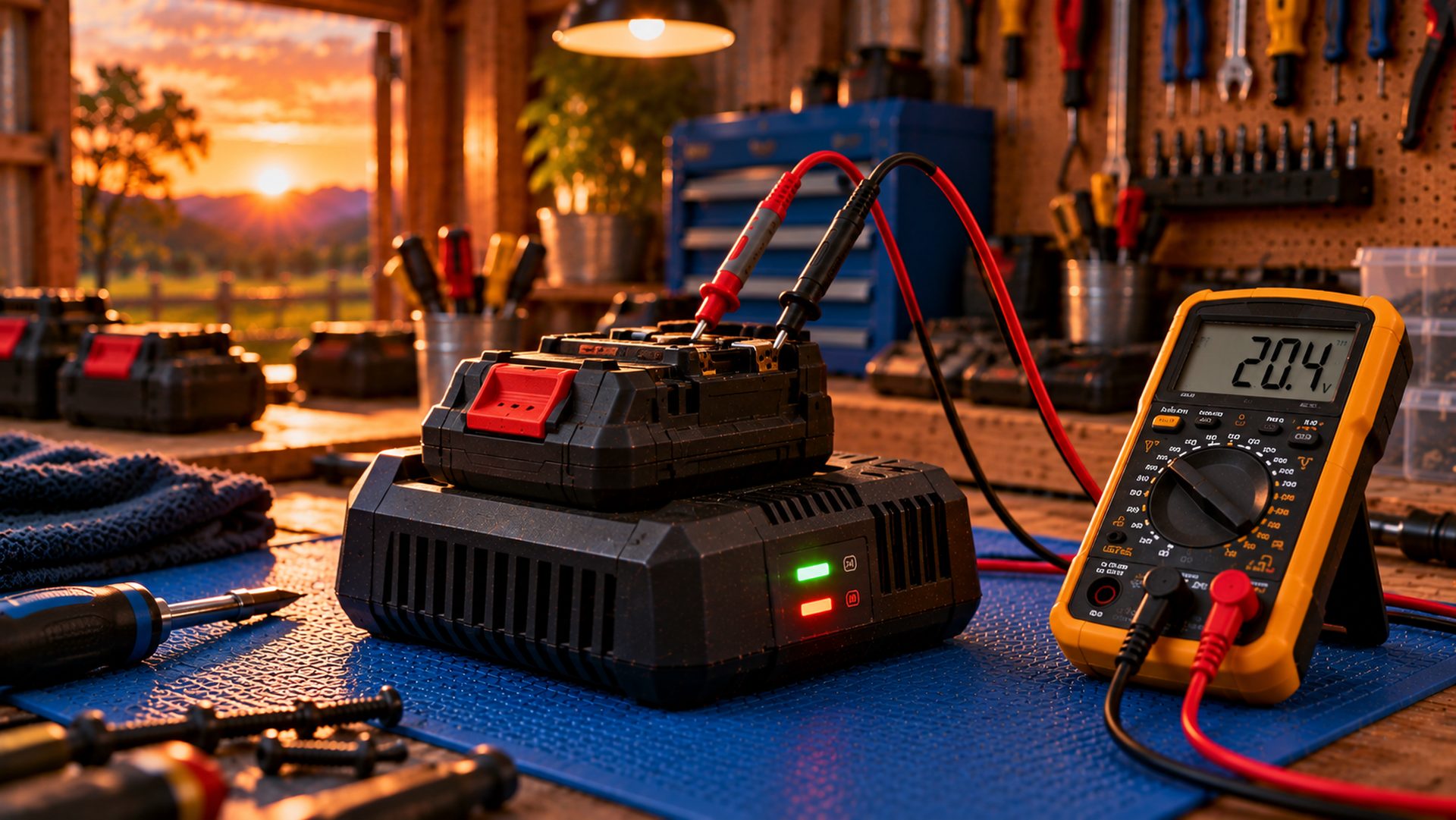
Cordless Tool Battery Not Charging? Checks to Try First
Battery won't charge? Find out whether it's the charger, the contacts, the temperature, the pack or the tool, with safe checks in order and a swap-test table.
Read guide →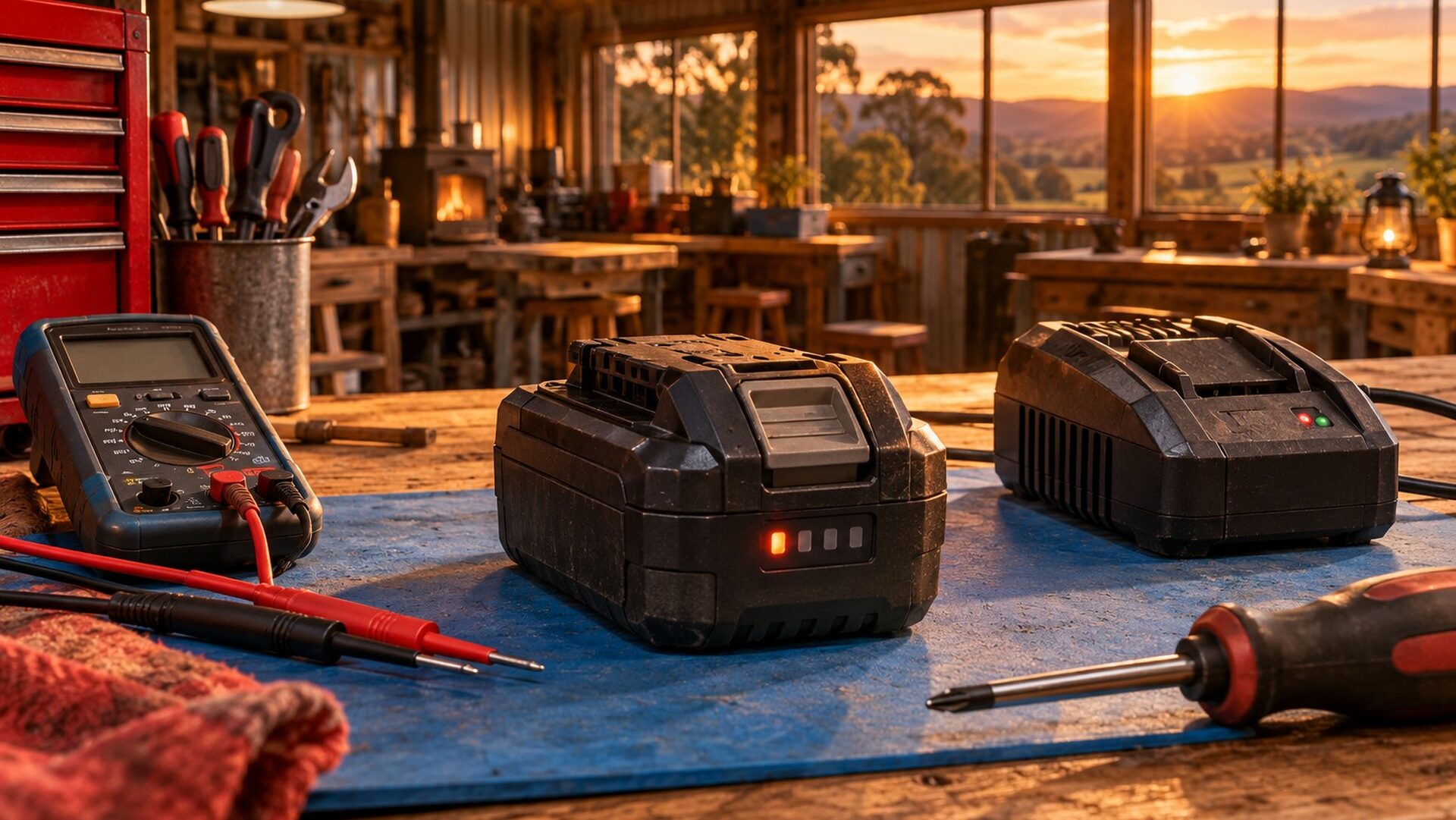
Is Your Cordless Battery Dead or Just Flat?
A tool battery that won't work is either flat, switched off by its protection, or failed. Here's how to tell which, and what each one means.
Read guide →
Cordless Tool Won't Start? Step-by-Step Troubleshooter
Cordless drill, saw or grinder dead when you pull the trigger? Check the pack, contacts, locks and the tool itself in the right order.
Start troubleshooter →