How to Test a Cordless Pack With a Multimeter
How to safely check a tool pack with a multimeter, and what the readings mean.
A basic multimeter tells you more about a cordless pack than the charger lights do. It won't tell you everything, but it's the right first check before you buy a new battery.
1. Before you start
- Only test on the pack's outside terminals. Don't open the pack.
- Never let the probes or anything metal bridge the + and − terminals. A short can cause sparks, burns or a fire.
- If the pack is swollen, cracked, leaking, hot or smells, don't test it, charge it or use it.
- Wear eye protection and work on a clear, non-flammable bench.
2. Set up the meter
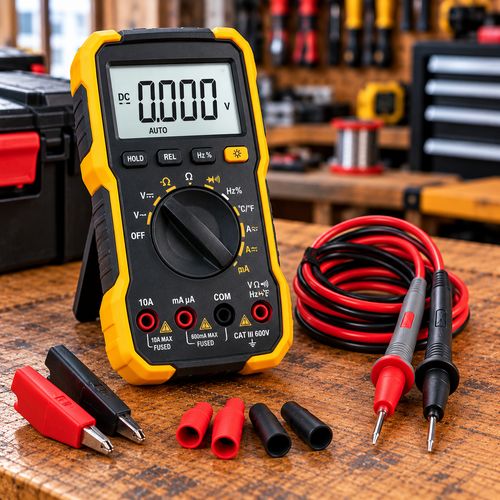
- Set the meter to DC volts. On a manual meter choose the range above the pack voltage, such as 200V.
- Red lead in the V socket, black lead in COM.
- Touch the red probe to the pack's + terminal and the black probe to the − terminal. Check the markings on the pack, as layouts differ between brands.
3. What the reading means
Most tool packs use lithium-ion cells in series. An 18V or 20V Max pack has 5 cells in series. As a rough guide for a 5-cell pack resting off the charger:
- About 20 to 21V: fully charged.
- About 18 to 19V: part charged.
- About 15 to 17V: close to flat. Charge it.
- Below about 15V: very flat. It may have been left too long. Try the maker's charger and watch it closely.
- Well below 12V, or zero: the pack may be deeply discharged, the protection board may have shut it off, or there's a fault. Some brands also show little or no voltage at the terminals until the pack is in a tool or charger.
For other packs, divide the reading by the number of cells in series. Full is about 4.2V per cell and flat is about 3V per cell.
4. A simple three-reading test
- Charge the pack fully on the maker's charger. Note the voltage straight off the charger.
- Leave it an hour, then note it again.
- Leave it a day or two, then note it again.
A healthy pack holds close to its full voltage over a couple of days. A pack that drops noticeably while sitting unused may have a weak cell or a fault and should be looked at before you rely on it. Record your readings on the free Pack Testing Record Sheet.
5. What a multimeter can't tell you
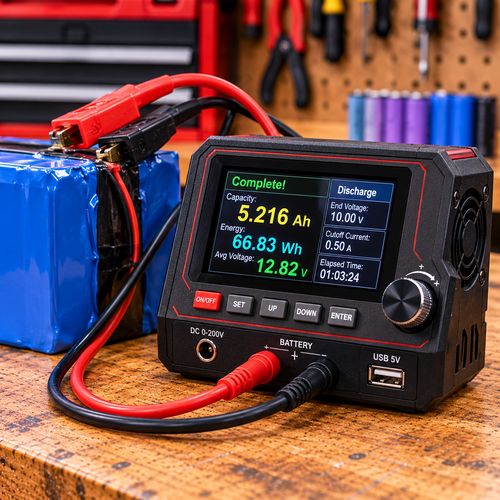
- Capacity: a pack can show full voltage and still run out quickly. A capacity tester or a timed run in the tool shows how much it really holds.
- Cell balance: the reading is all the cells added together. One weak cell can hide behind the others.
- Behaviour under load: a pack can read fine on the bench and cut out under load.
See Battery Testers for the Bench for the next step up from a multimeter.
Handy gear

As an Amazon Associate I earn from qualifying purchases. Prices and availability are shown on Amazon.
Related guides

Battery Testers for the Bench
The test gear that's worth having for cordless battery work, from a basic multimeter to capacity testers.
Read guide →
Why Won't My Cordless Battery Charge?
A step-by-step check of the charger, the contacts and the pack voltage, so you know where the fault really is.
Read guide →